
When an AI agent works on a real project it needs access, whether to the logs on a client’s cloud, a repository or a database, and the fastest route would be to hand it the keys.
In BrightOS, the internal tool we use to run the Bright Factory every day, agents don’t have client credentials: every time they need them they ask, a person makes the decision and everything stays on record.
An AI agent with the keys in its pocket
Today’s agents are fast, capable and very literal, in the sense that if they have access, they use it. Before BrightOS this was a real problem, and Luca Belmonte, Head of Architecture at Symboolic, puts it bluntly in the interview we recorded for our channels.
“There was no way for me to stop Claude Code from connecting over SSH to a remote machine or to a client’s database.”
Luca Belmonte · Head of Architecture at Symboolic
Multiply that problem by more than twenty engineers, dozens of sessions a day and many different clients, and the picture becomes as easy to understand as it is messy in practice: credentials copied onto laptops, access left open longer than necessary and no simple way to reconstruct who did what. It’s exactly the opposite of what a company expects from the people building its software.
That’s why, in BrightOS, security became the precondition for everything else to work.
The boundary is the client
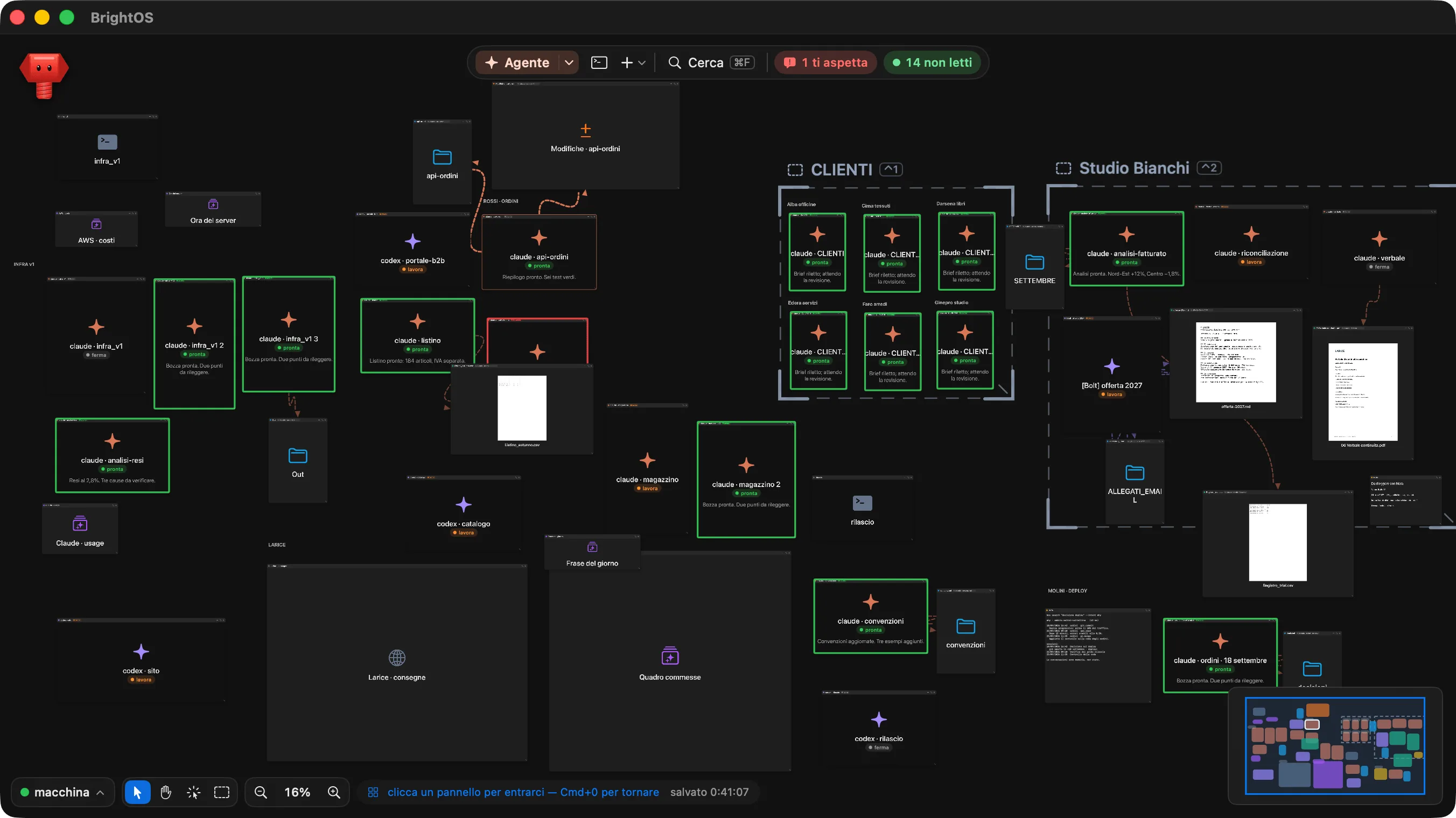
Agents work in a sandbox, an environment separate from the rest of the computer that sees a single folder, the projects folder, with a subfolder for each client. The rest of the machine is simply out of its reach.
Each session works inside one client’s perimeter, so an agent working for company A can’t access company B’s documents. The same goes for the memory of the work: when searching past conversations, whoever is working for a client sees only that client’s conversations and internal work, and sensitive information is redacted before it’s indexed.
The agent asks, but the person decides
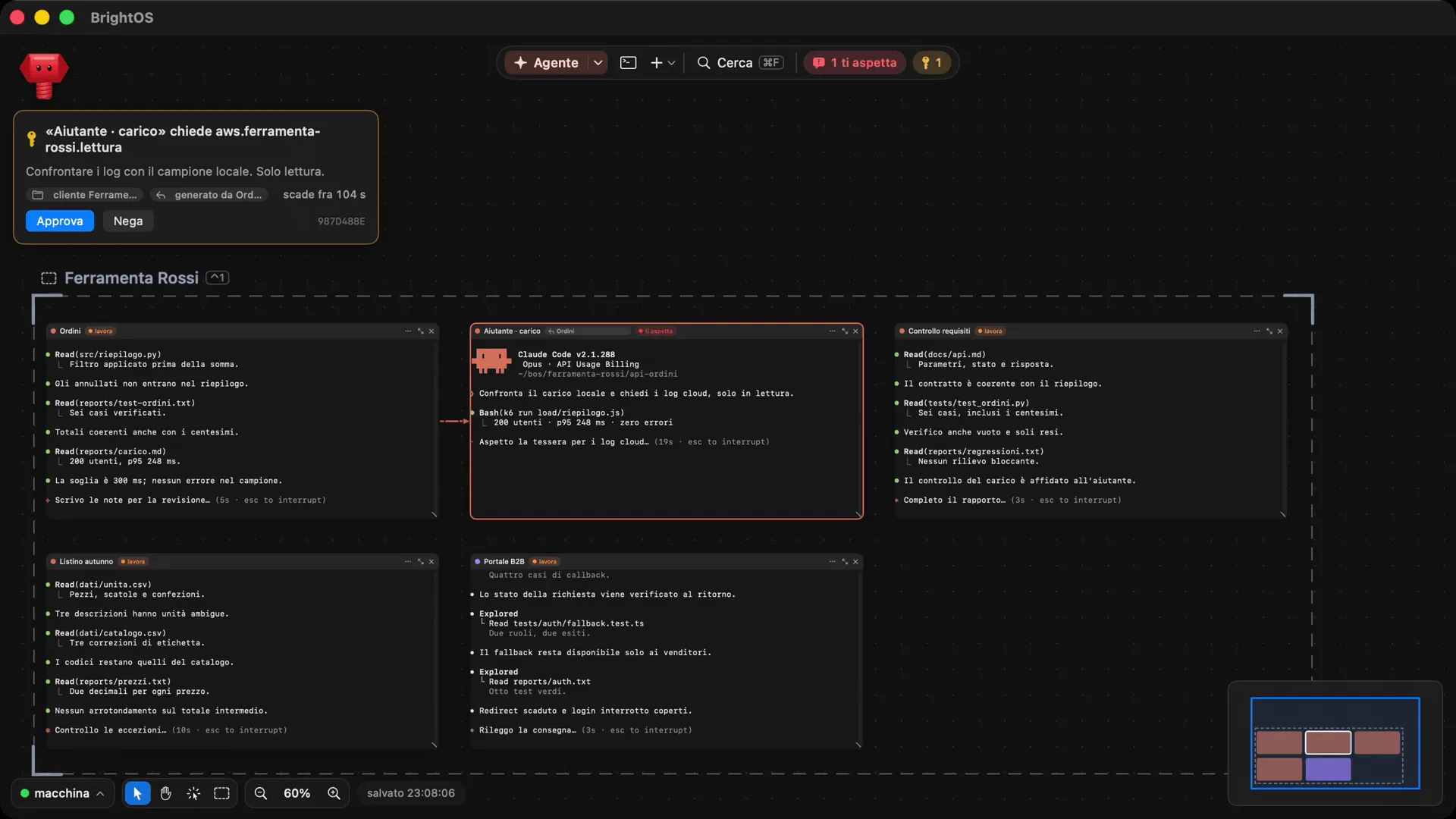
Client credentials stay on the computer, outside the sandbox. When an agent needs access, for example to read logs on AWS, open an SSH connection or run a query on a database, it doesn’t just take it; it asks the broker, a BrightOS component that acts as an intermediary.
The broker grants access according to that client’s rules and only for as long as needed, asks the person for confirmation when the rule requires it, and records every grant. The request appears on the canvas as a card that says who is asking, what for, for which client and how much time is left to answer, with two buttons, Approva and Nega (approve and deny).
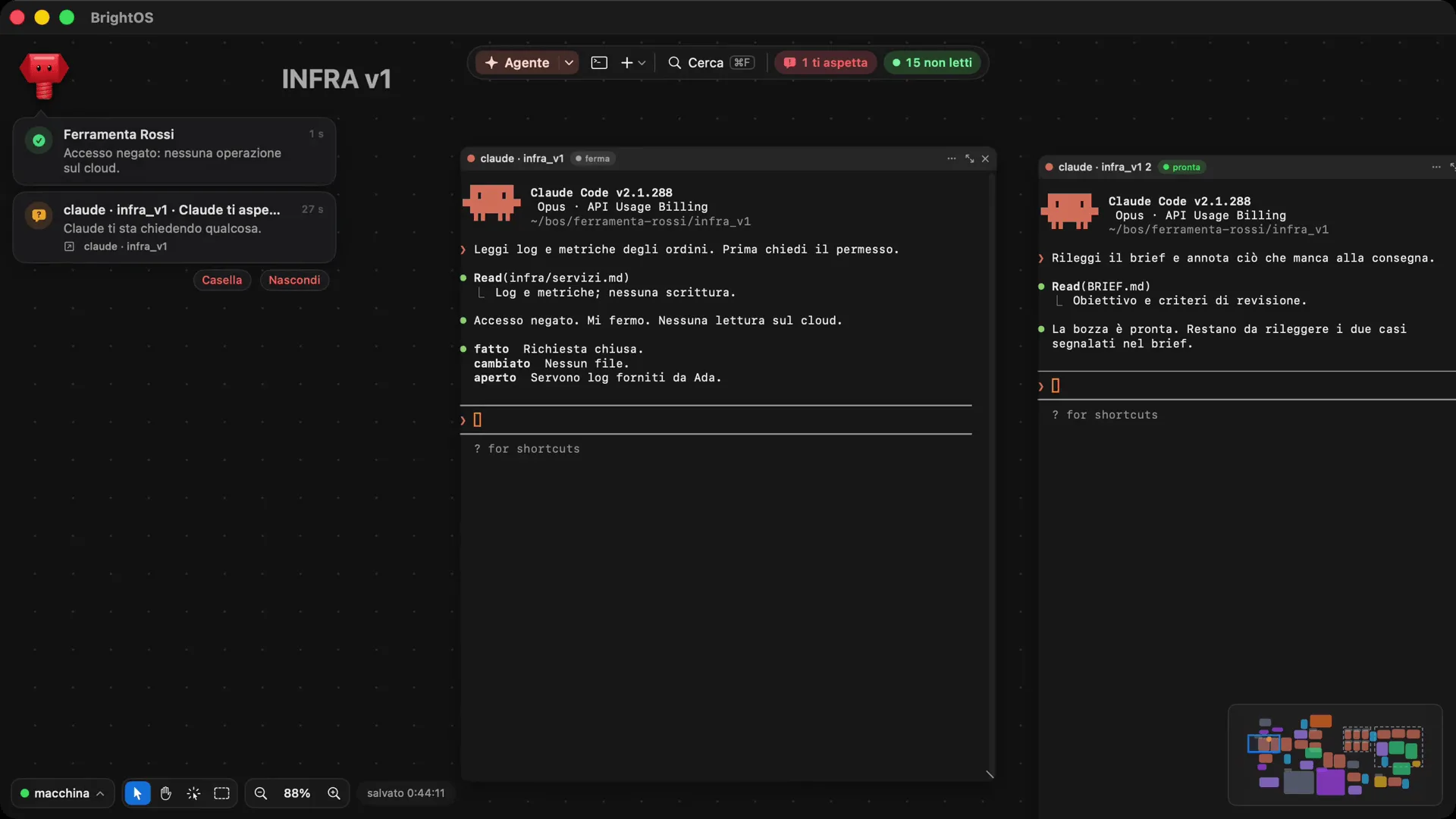
If the answer is no, the agent stops, says so clearly and doesn’t try again. In the demo, after the refusal, the agent writes “Accesso negato. Mi fermo. Nessuna lettura sul cloud” (access denied, I’m stopping, no reads on the cloud) and closes the job with its outcome, noting that to move forward it needs logs provided by someone on the team.
Stopping is by design
Our vision includes a line we care about a lot: agents know when to stop. An agent that guesses costs more than one that asks, and in BrightOS stopping is normal behaviour, designed in from the start.
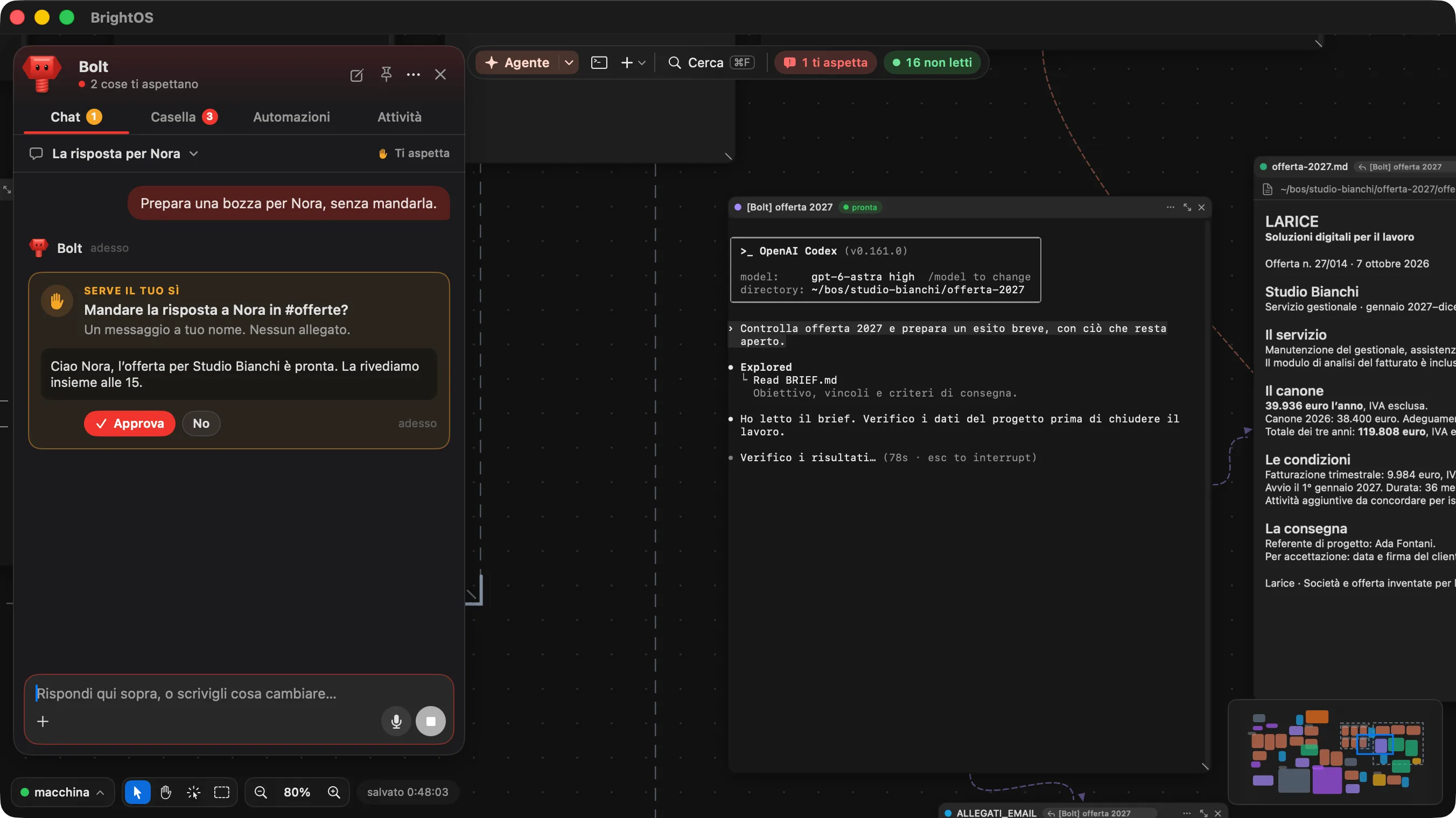
When an agent needs a person, its session switches to the “ti aspetta” (waiting for you) status, marked in red, and a notification arrives, so whoever started it sees right away where and why it stopped. For access, there’s the card.
The same goes for Bolt, the assistant each of our engineers has inside BrightOS. Bolt can draft a reply to a colleague or a message in a project channel, but no action on someone’s behalf goes out without their confirmation.
Every choice has a signature, and so someone accountable
AI writes, an engineer reviews, approves and answers for it. For this principle not to remain a slogan you need evidence, and BrightOS keeps a record of the outcome of every job, the conversations with agents, the access granted or denied and the changes to files, so you can always reconstruct who did what, and when.
Before a change becomes final, the Modifiche (changes) panel shows file by file what the agent touched, and the engineer reads it and approves it. That way every job handed to an agent closes with a written outcome, always in the same format: what was done, what changed and what remains open.
When an agent hands part of the work to another agent, the helper never has more permissions than the one that created it. It also has a budget and a deadline, and if its task is to check someone else’s work, it works read-only. Even the production release is carried out by an agent with access lent by the broker for that client and that time window, and recorded, so no client key ever lives on our engineers’ laptops.
More automation, more human decisions
What will happen when agents do even more of the work? Luca has a clear answer.
“I expect an increasingly automated process, where we engineers will mostly be called on to make the important decisions, the ones about the direction of the project.”
Choosing one architecture over another, assessing a licence or following a strategic direction are decisions that require context an agent often doesn’t have. The more operational work gets automated, the more it matters that a person puts their stamp on what leaves the factory, and BrightOS is built to make that moment clear, fast and traceable.
What it means for clients who trust us with a project
All of this happens inside the workshop, but it’s above all for the people outside, and for those who work with us it translates into a few very concrete guarantees. The credentials to your systems are never copied onto laptops or into the environments where agents work, every access is granted for a limited time and stays on record, every change and every decision has a conversation and an outcome to trace back to, and whatever concerns your project stays separate from what concerns everyone else.